
Follow the steps to remove a team member:
Step 1. Login to Control Panel
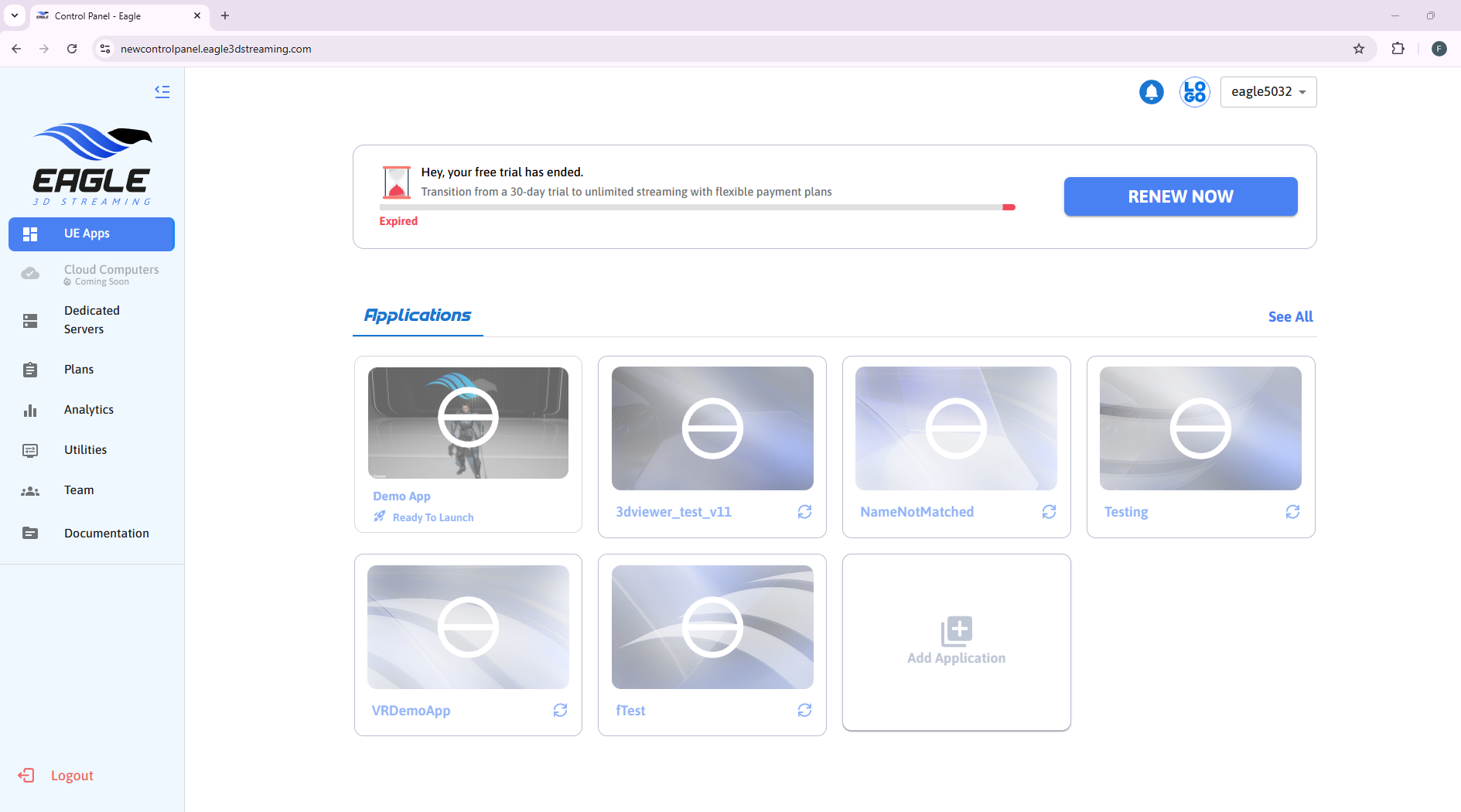
Step 2. Navigate to Team from the side panel.
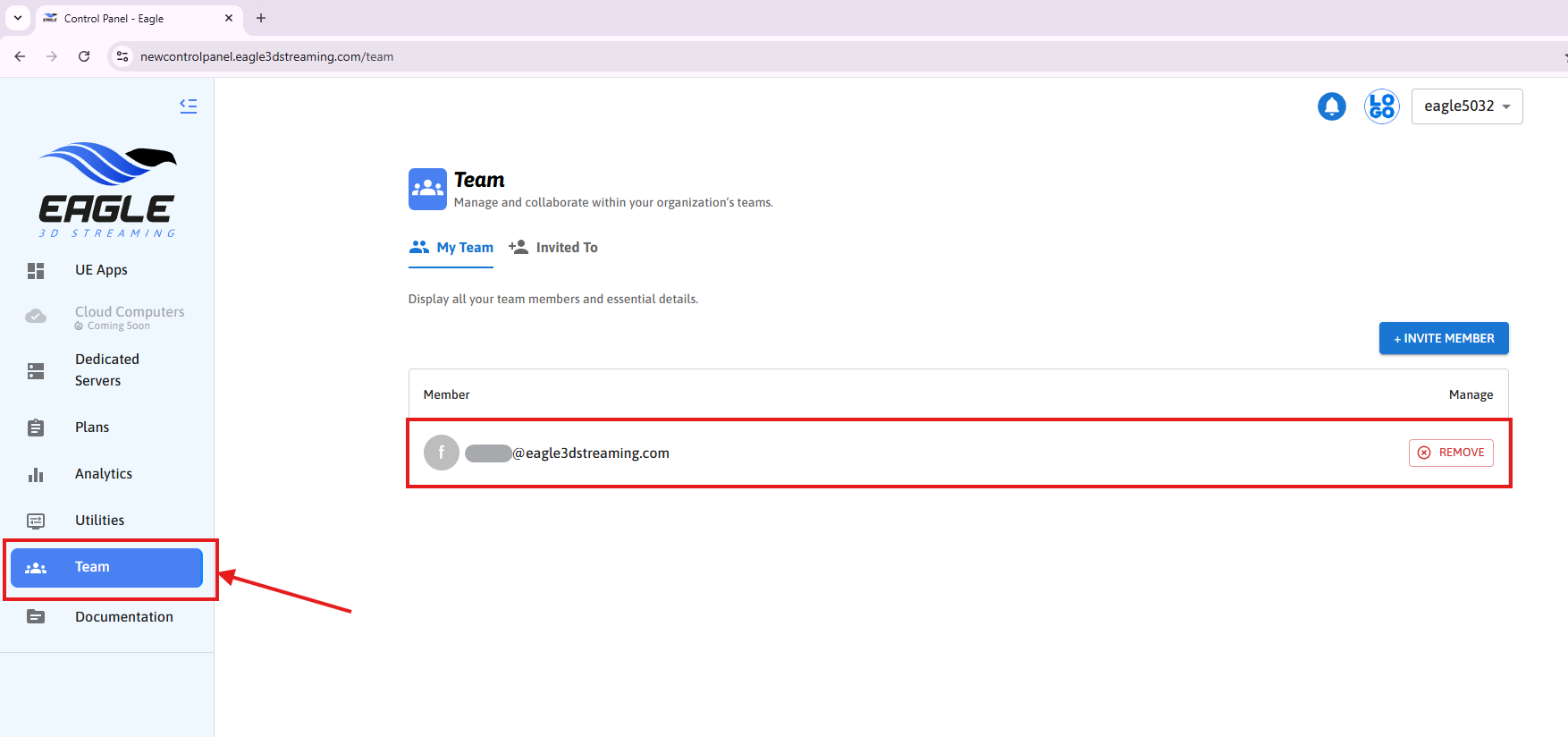
Step 3. Click on Remove button to remove the team member
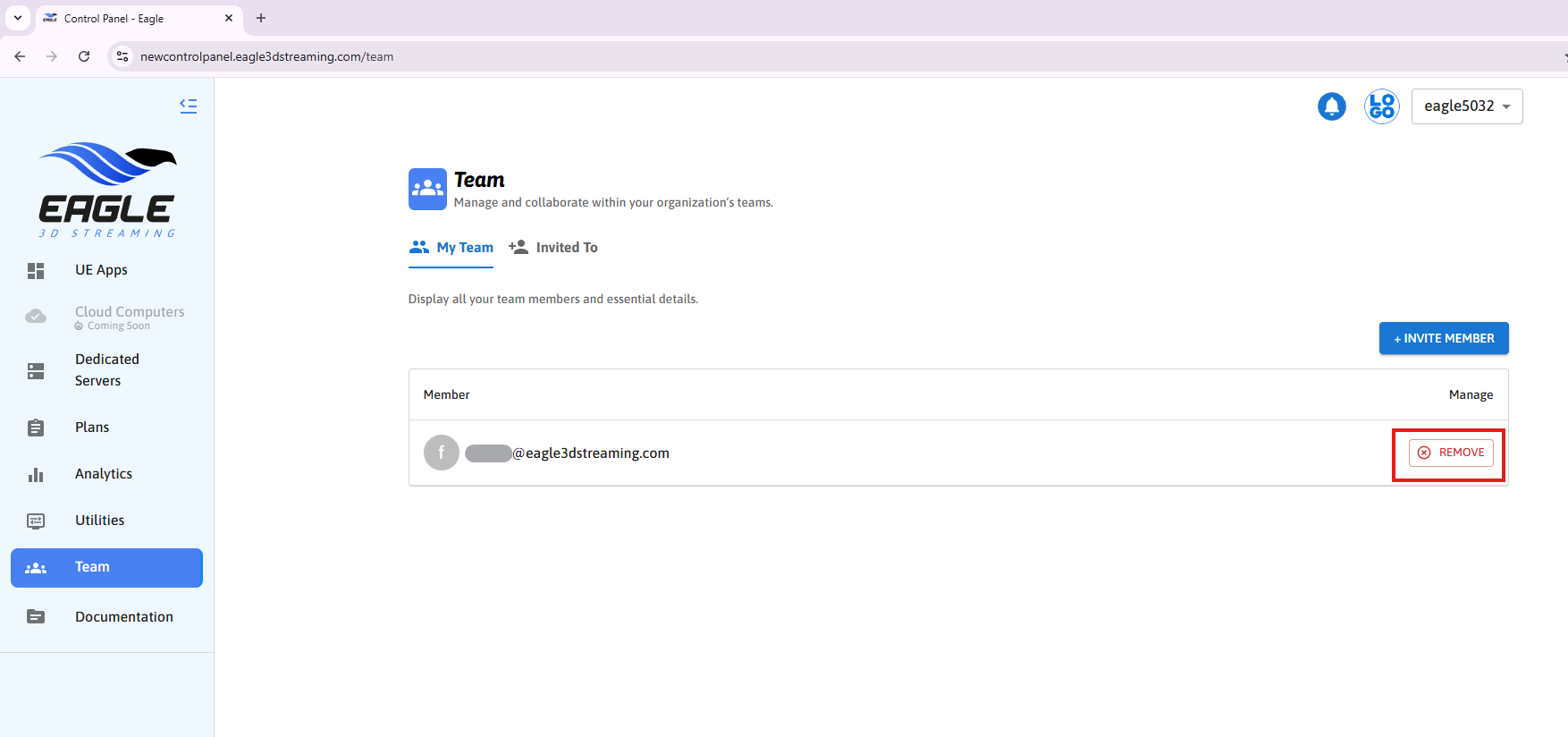
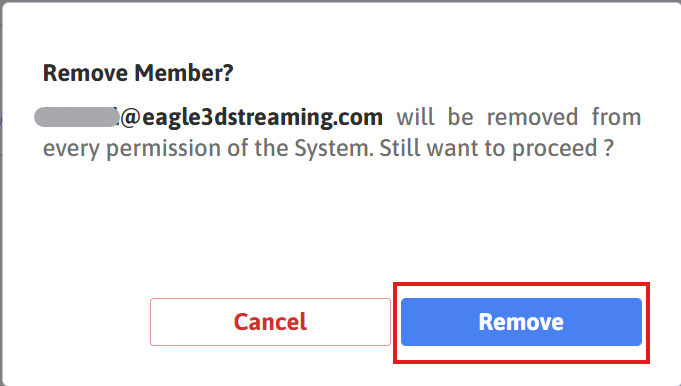
A popup will appear asking for confirmation to remove the member.
Step 4. Click on REMOVE button
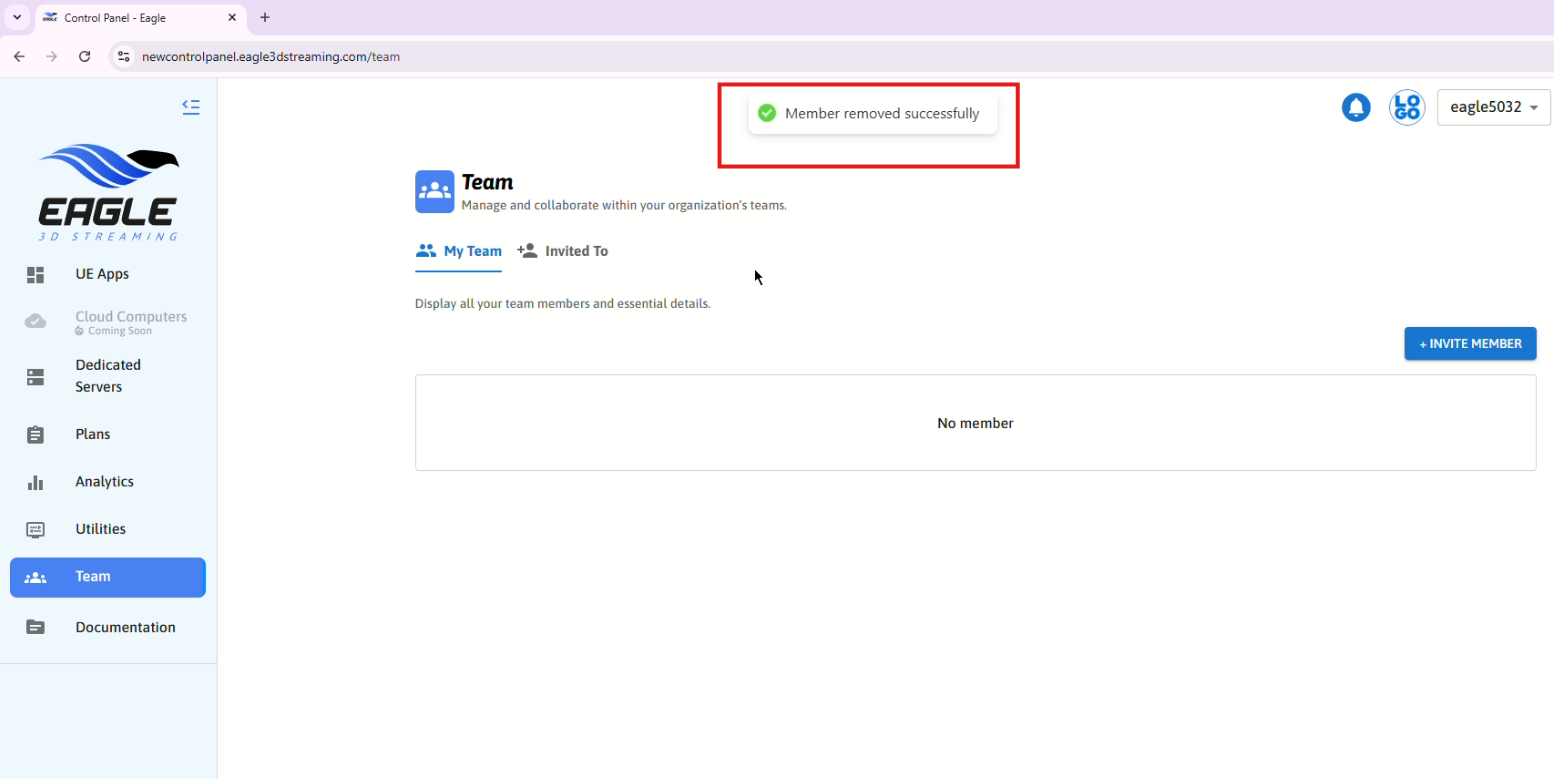
Step 5. A success alert will be shown after successfully removing the team member
Need help?
If you need any assistance, feel free to reach out through any of the following channels:
🛠️ Support Portal: Contact Our Support Team
💬 Discord Community (Faster Support): Join Our Discord Community
📧 Email Support: support@eagle3dstreaming.com
Follow us on: